Mugen Academy: Download All Versions for Free (PC & Android)
Download Mugen Academy x Stardust V10 (Latest Version)
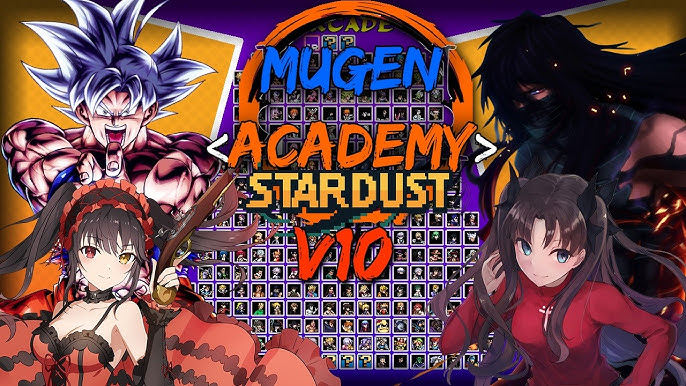
Download Mugen Academy V10 — choose OpenGL or DirectX:
| Detail | Mugen Academy V10 |
|---|---|
| 💻 Platform | PC (Windows 7+) |
| 📱 Mobile | Android via Winlator (DirectX ver.) |
| 🎮 Characters | 263 playable fighters |
| 📏 OpenGL Size | 12 GB (14.4 GB extracted) |
| 📏 DirectX Size | 11.76 GB (14 GB extracted) |
| 🕹️ Controls | Keyboard & Gamepad |
| 🏳️ Language | English |
| 🔗 Creator | Dark Night |
| 🛠️ Engine | IkemenGo (OGL) / MUGEN 1.1 (DX) |
OpenGL (IkemenGo) vs DirectX (MUGEN 1.1) — Which One to Download?
Every version of Mugen Academy offers two different builds:
- OpenGL version runs on IkemenGo, a modern open-source fighting game engine. It includes exclusive game modes (Team Co-op, Survival, Watch) and better graphics. However, it only works on PC.
- DirectX version runs on the classic MUGEN 1.1 engine. It has fewer game modes but runs faster on low-end hardware and can be emulated on Android via Winlator.
If you play on PC and want the full experience, go with OpenGL. If you want to play on Android or have an older PC, choose DirectX.
Download All Versions of Mugen Academy (V1 to V9)
Every version of Mugen Academy is free to download. All include both OpenGL (IkemenGo) and DirectX (MUGEN 1.1) builds. Older versions have smaller rosters and lighter file sizes — V1 starts at just 3 GB compressed while V10 weighs 12 GB.
Academy V9
Academy V8
Academy V7
Academy V6
Academy V5
Academy V4
Academy V3
Academy V2
Academy V1
Note: Mugen Academy is a heavy game — even V1 requires over 6 GB of disk space once extracted. If you plan to play on Android via Winlator, V1 or V2 are the most realistic options given mobile storage and performance constraints.
Character Roster (V10 — 263 Fighters)
Mugen Academy x Stardust V10 features a massive roster of 263 playable characters drawn from an extremely wide range of franchises. Unlike series-focused MUGEN games (like JJK Mugen or One Piece Mugen), Mugen Academy is a multi-franchise crossover — you will find characters from Dragon Ball, One Piece, Naruto, Bleach, Sonic, Street Fighter, SpongeBob and dozens more all in one game.
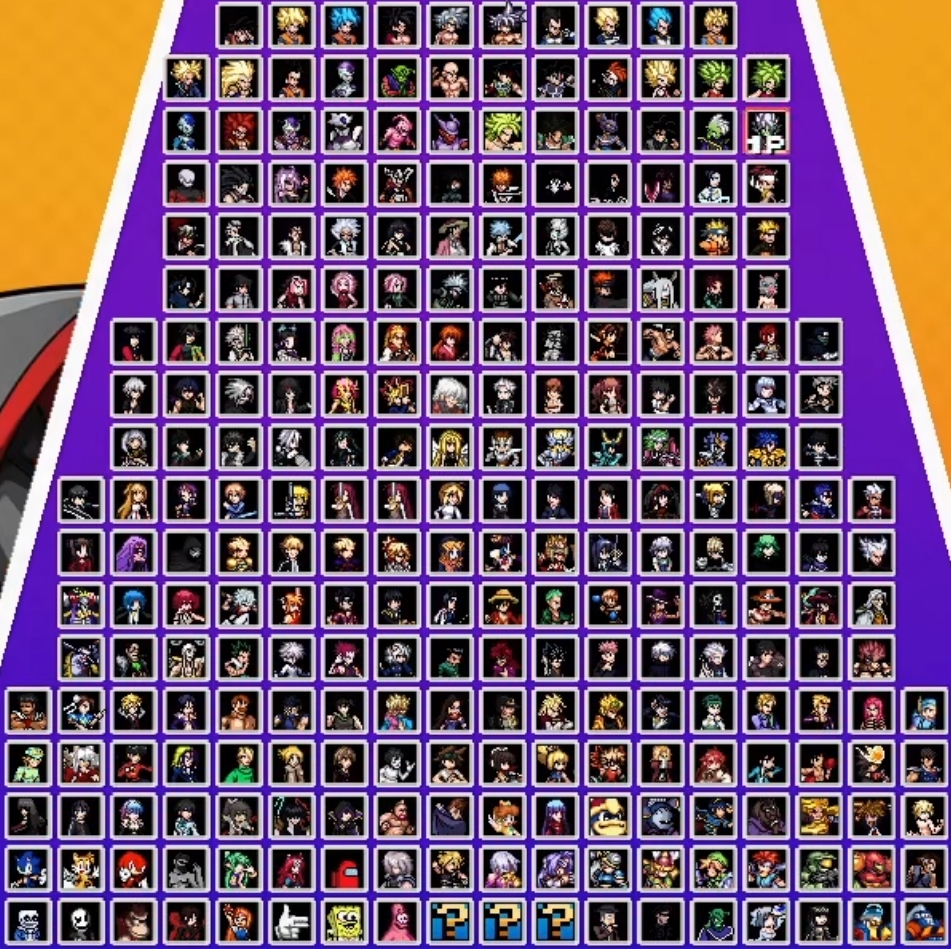
The roster grows with each version — V4 had 184 characters, V5 had 210+, and V10 reaches 263. Each new release adds fighters from both classic and modern anime series, making Mugen Academy the go-to game for players who want maximum variety in a single download.
How to Download and Install on PC
Mugen Academy runs directly after extraction — no installation needed.
Choose Your Version
Pick the version you want. V10 for the full 263-character roster, or an older version for a smaller download. Then choose OpenGL (IkemenGo, more game modes, PC only) or DirectX (MUGEN 1.1, lighter, Android compatible).Download from Mediafire
Click the download button. The file will download as a .rar or .7z archive. V10 weighs around 12 GB compressed — make sure you have enough free space.Extract the Game Files
Use WinRAR or 7-Zip to extract the archive. V10 requires 14 GB of disk space once extracted.Launch and Play
Run the executable file inside the extracted folder. Pick your fighter from the massive roster and start battling.How to Play Mugen Academy on Android (Winlator)
There is no native Android APK for Mugen Academy. However, you can play the DirectX version on your Android phone using Winlator, a free Windows emulator. Be aware that Mugen Academy is a large game — even V1 requires 6.5 GB extracted, so make sure your phone has enough storage and at least 6 GB RAM for acceptable performance.
Download Winlator
Get the latest version from its official GitHub page (search "Winlator GitHub releases"). Your phone needs Android 9+ and at least 6 GB RAM.Download V1 or V2 DirectX
For Android, we recommend V1 DirectX (3.17 GB compressed, 6.48 GB extracted) — it is the lightest option. V2 is also feasible but heavier at 7.68 GB extracted. Avoid later versions as they exceed 9 GB and may struggle on mobile.Extract and Set Up
Extract the .rar or .7z file on your phone using ZArchiver. Open Winlator, create a new container, and point it to the game folder. Set graphics to DirectX in Winlator settings.Launch the Game
Inside the Winlator container, navigate to the game folder and run the .exe file. Use on-screen touch controls or connect a Bluetooth gamepad for a better experience.Game Modes (OpenGL / IkemenGo Version)
The OpenGL (IkemenGo) version of Mugen Academy includes more game modes than the DirectX (MUGEN 1.1) build:
Arcade & Team Arcade
Fight through a series of opponents solo or with a team of characters. Classic arcade ladder experience.Team Co-op & Team VS
Play cooperative battles with a partner or face off in team-based versus matches. IkemenGo exclusive — not available in the DirectX version.Survival, Training & Watch
Test how far you can go in Survival mode, practice combos in Training, or let the AI fight in Watch mode.Mugen Academy Gameplay
Frequently Asked Questions
Is Mugen Academy free to download?
Yes, all versions (V1 through V10) are completely free. This is a fan-made project by Dark Night distributed freely within the MUGEN community.
What is the difference between the OpenGL and DirectX versions?
The OpenGL version runs on the IkemenGo engine with exclusive game modes (Team Co-op, Survival, Watch) and better graphics, but only works on PC. The DirectX version runs on MUGEN 1.1, has fewer modes but is lighter and can be emulated on Android via Winlator.
How many characters does Mugen Academy V10 have?
Mugen Academy x Stardust V10 features 263 playable characters from dozens of different franchises including Dragon Ball, One Piece, Naruto, Bleach, Sonic, Street Fighter, SpongeBob and many more. Earlier versions have progressively smaller rosters — V4 had 184, V5 had 210+.
Can I play Mugen Academy on Android?
Yes, using Winlator (free Windows emulator). Download V1 DirectX (lightest option at 6.48 GB extracted) and run it through Winlator. Your phone needs Android 9+ and at least 6 GB RAM. Later versions are very heavy and may not run well on mobile.
What is the difference between Mugen Academy and Mugen Academy x Stardust?
Mugen Academy x Stardust is simply the name of V10, the latest version. It is the same game series by Dark Night — the "x Stardust" subtitle indicates a collaboration or expanded edition. V1 through V9 are titled just "Mugen Academy".
Explore More Mugen Game Categories
If you enjoy Mugen Academy, check out our other fighting games: